
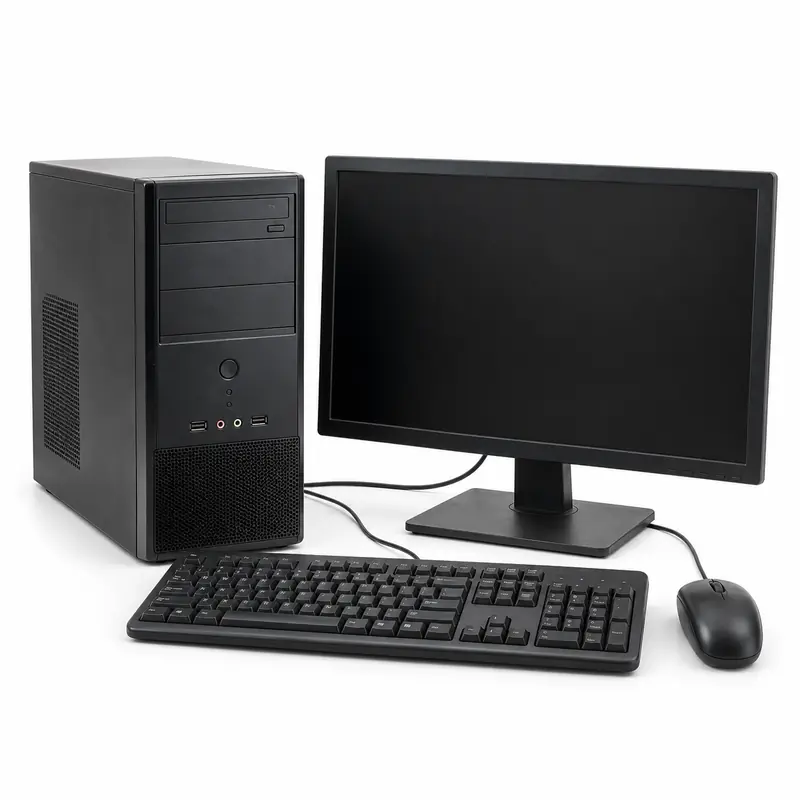
Office Computer Clearout Guide for Guru Teg Bahadur Nagar, Kharar
This office computer clearout guide for Guru Teg Bahadur Nagar, Kharar covers the disclosed item or material lot: Approved desktops, laptops, displays and accessories with private asset identifiers. Prepare an organisation-approved list of desktops, laptops, displays and peripherals actually offered. Record accessible model information, supported condition, accessories and retained components. Identify leased, employer-controlled, client-owned and personally owned devices separately. Business data, accounts and storage-media decisions belong to the responsible organisation's process before release; a general scrap receipt is not proof that information has been sanitised.
Choose an available material guide for classification and the locality hub for address, ownership and handover planning. Guru Teg Bahadur Nagar address and handover guide, Office Scrap, Paper Scrap, E-Waste, Furniture, Battery Scrap, Office Computer Clearout, General category guide, and Offer-factor guide. Acceptance depends on the material type, condition, quantity, collection address and selected buyer.
Office Computer Clearout Details to Record
| Request detail | Details to share |
|---|---|
| Device schedule | Approved desktops, laptops, displays and accessories with private asset identifiers. |
| Condition | Supported information, damage, missing parts and battery uncertainty. |
| Owner | Organisation, employee, client or leased asset and release decision. |
| Information | Responsible storage, account and sanitisation decisions before release. |
| Locations | Actual units, authorised contacts and separate access arrangements. |
| Handover | Accepted schedule, evaluation, service exclusions, records and payment. |
Prepare and Confirm the Request
-
Identify the inventory
Record device schedule, known condition, quantity unit, included components and release authority. Keep retained and separately owned items outside this lot.
-
Locate the stored lot
Provide the complete address and storage position. For Guru Teg Bahadur Nagar, the address question is full versus abbreviated colony wording and household release contact. State the actual entrance, floor and handover plan.
-
Compare the same scope
In the BharatBin app, ask participating options about acceptance, inspection, minimum quantity, carrying, specialist work and charges for that disclosed request. Availability is request-dependent.
-
Confirm the inspected outcome
Reconcile the accepted inventory, recorded measurement, agreed rate or item offer, exclusions and charges. Confirm the final payable amount, payment timing and authorised payment recipient before handover.
Pickup-address information
Guru Teg Bahadur Nagar is spelled out in the historical PSPCL Kharar record, which also uses GTB Nagar in other entries. Preserve the full colony name used for the premises, followed by the actual house or unit and street. The abbreviated utility wording is a naming comparison rather than a surveyed alias decision. For office computer clearout using a Guru Teg Bahadur Nagar address, resolve full versus abbreviated colony wording and household release contact alongside device schedule and condition. Give the colony, street or block and actual property number. Where occupiers share an entrance, identify the releasing owner's unit and storage position so inspection does not cover another occupier's material. Keep the device schedule and condition record attached to that owner's office computer clearout inventory and its actual storage location. The recipient should be able to match the disclosed material or device to the address and distinguish quantity estimates from recorded measurements. A GTB Nagar search result needs the Kharar context and the individual property address. Co-listed colonies in the historical utility record are not a substitute for the seller's street or a confirmed society directory. Do not move a lot to another locality label simply to match an abbreviated listing. The practical implication for this office computer clearout enquiry is to keep the recorded address attached to its approved inventory: for an organisation's clearout, match each asset or material group to its release reference and storage room. Keep the person permitting entry separate from the records or asset owner who approves disposal; agree who witnesses quantity recording and receives the business payment. Confirm whether inspection will take place at storage or an agreed handover point, with carrying and any specialist preparation stated for that disclosed scope. No named residential society has been assigned to this locality from the available primary address evidence. Use the actual property address; the Kharar city guide offers separately scoped project references without treating them as nearby societies or collection partners. Planning example for Guru Teg Bahadur Nagar (not a reported collection): a family contact preparing an approved list while the material owner confirms the actual unit. For this owner's office computer clearout request, record device schedule and condition for the actual approved inventory and answer the premises question, 'Does the premises use the full colony name or an abbreviation?' before agreeing an inspection point. Keep an approach pin distinct from the storage position. If another owner has material at the same entrance, keep a separate inventory reference and accepted quantity. Keep one family's possessions separate from material stored for a landlord, neighbour or business. Ask the releasing owner to approve the included-items list, particularly when items remain usable or are temporarily stored. Retained property should stay outside the photographed offered lot. Confirm this lot's evaluation unit: an authorised asset or material schedule with a stated basis for every group. Then record whether preparation or movement changes what the recipient will inspect.
Material and handling information
Obtain asset release and the responsible data-handling decision before devices change custody. Keep device identifiers in an appropriate private asset record and avoid displaying personal or business information in photographs. Arrange suitable support for damaged batteries and other specialist conditions without opening devices to improve a listing. A reset, deleted file or buyer's informal assurance should not replace the organisation's chosen information-handling and verification process. Collection does not automatically include secure erasure, software or account transfer, corporate asset approval, repairs or specialised battery handling. Do not release leased or employer equipment merely because it is physically stored at a home. Obtain the actual acceptance, documentation and provider responsibilities separately, without asserting that all electronics buyers supply the same services.
Ask About the Actual Inventory and Premises
Use consistent descriptions and quantity units, then confirm inspected terms.
| Comparison point | What to check |
|---|---|
| Same disclosed inventory | Approved desktops, laptops, displays and accessories with private asset identifiers. |
| Condition and inclusions | Supported information, damage, missing parts and battery uncertainty. |
| Evaluation unit | Agree the accepted device schedule, per-device or other stated basis, retained accessories and any recorded-weight terms. Keep data-service, carrying and collection charges separate from equipment value. Reconcile identifiers and accepted condition at handover, record rejected or retained devices and confirm the authorised organisation or personal owner's payment and documents. |
| Owner and premises | Keep one family's possessions separate from material stored for a landlord, neighbour or business. Ask the releasing owner to approve the included-items list, particularly when items remain usable or are temporarily stored. Retained property should stay outside the photographed offered lot. |
| Final amount | Record accepted quantity or items, exclusions, deductions, charges, final payable amount and payment timing. |
Buyer participation for this office computer clearout request in Guru Teg Bahadur Nagar has not been checked against a current request-scoped feed. Use the BharatBin app with the actual inventory, condition, quantity and full premises to review participating options. Confirm acceptance, slot, minimum quantity, carrying responsibility and any charge with the selected option. A published project address supplies identity context, not current collection coverage.
Illustrative Request Example
Illustrative Office Computer Scrap Request in Guru Teg Bahadur Nagar, Kharar
Not a pickup recordThis hypothetical planning example shows information a customer could disclose. It is not a BharatBin pickup record, testimonial, proof of buyer coverage or an observed property-access arrangement.
- Example locality
- Guru Teg Bahadur Nagar, Kharar
- Example material
- Example disclosure checklist: Device schedule: Approved desktops, laptops, displays and accessories with private asset identifiers. Condition: Supported information, damage, missing parts and battery uncertainty.
- Quantity details
- Example measurement checklist: Agree the accepted device schedule, per-device or other stated basis, retained accessories and any recorded-weight terms. Keep data-service, carrying and collection charges separate from equipment value. Reconcile identifiers and accepted condition at handover, record rejected or retained devices and confirm the authorised organisation or personal owner's payment and documents.
- Property access
- Example address checklist for Guru Teg Bahadur Nagar, Kharar: Guru Teg Bahadur Nagar is spelled out in the historical PSPCL Kharar record, which also uses GTB Nagar in other entries. Preserve the full colony name used for the premises, followed by the actual house or unit and street. The abbreviated utility wording is a naming comparison rather than a surveyed alias decision.
A participating buyer would still need to confirm acceptance, inspection, the evaluation unit, collection availability, carrying responsibilities, applicable charges and the final offer for the actual request.
This hypothetical example does not establish current buyer coverage, accepted quantities, collection slots, property-entry rules, charges or a fixed rate.
Illustrative Request Example
Office Computer Clearout planning in Guru Teg Bahadur Nagar
Not a pickup recordPlanning example for Guru Teg Bahadur Nagar (not a reported collection): a family contact preparing an approved list while the material owner confirms the actual unit. For this owner's office computer clearout request, record device schedule and condition for the actual approved inventory and answer the premises question, 'Does the premises use the full colony name or an abbreviation?' before agreeing an inspection point. Keep an approach pin distinct from the storage position.
If another owner has material at the same entrance, keep a separate inventory reference and accepted quantity. Keep one family's possessions separate from material stored for a landlord, neighbour or business. Ask the releasing owner to approve the included-items list, particularly when items remain usable or are temporarily stored. Retained property should stay outside the photographed offered lot. Confirm this lot's evaluation unit: an authorised asset or material schedule with a stated basis for every group. Then record whether preparation or movement changes what the recipient will inspect.
This hypothetical planning example does not confirm buyer coverage, material acceptance or collection availability.