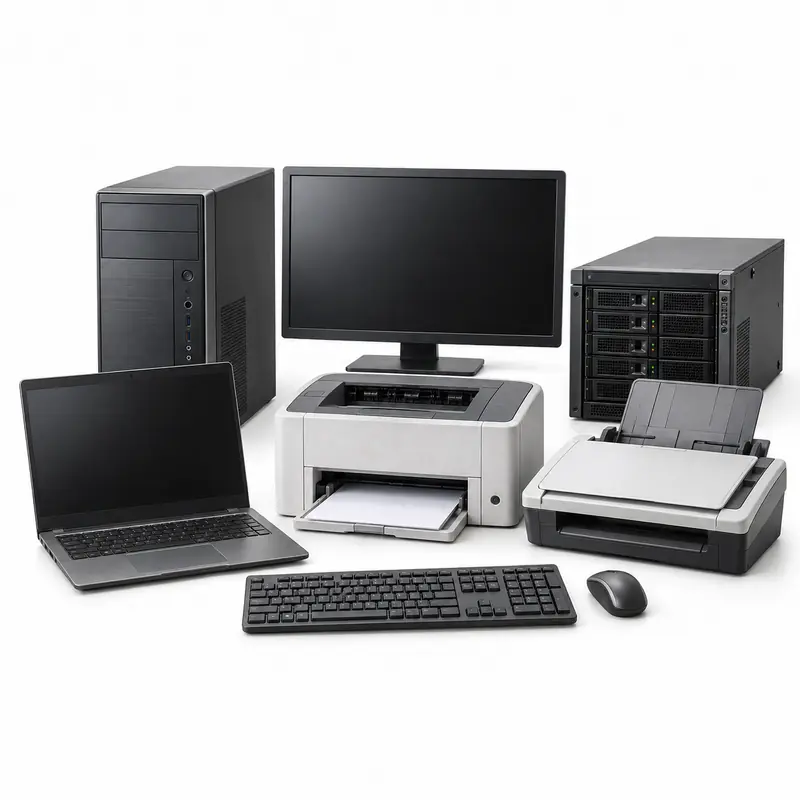
Old Computers and Office Electronics
Scrap Pickup Options
Review accepted equipment, condition, completeness,
preparation, removal and buyer-evaluation factors for
computers and office electronics before requesting an
available pickup option.
Request Computers and Office Electronics Scrap Pickup in
4 Simple Steps
Share accurate equipment details, compare participating buyers and
confirm preparation, collection and final inspection terms for
computers and office electronics.
1
Add Equipment Details
List the exact types, quantity, specifications where
known, working condition, missing parts and clear
photographs of the computers and office electronics.
2
Compare Buyer Options
Review participating buyers that may accept the disclosed
equipment in your location and confirm any
minimum-quantity requirement.
3
Request Pickup
Choose an available slot and confirm preparation,
disconnection, access, dismantling, carrying, loading and
collection charges in advance.
4
Confirm the Final Offer
The selected buyer confirms acceptance, classification,
measured quantity, deductions, payment and the final offer
after inspection.
Old Computer and Office Electronics Scrap Pickup and Recycling
Guide
Sell
Computers and Office Electronics Scrap
Online
Old computers and office electronics can retain reuse value
and recoverable electronic, metal, glass or plastic
components. BharatBin helps households and businesses
compare participating buyer options and request collection
where available without promising acceptance or a fixed
price.
Before requesting collection, identify the exact equipment
types, approximate quantity, specifications, working
condition, missing parts, installation status and access.
Clear photographs may support a preliminary assessment.
Participating buyers may consider device type, brand or
model, processor or technical specification, age, working
condition, data-bearing storage, battery condition, screens,
cartridges or consumables, included accessories, internal
completeness, quantity and site access. Details shared
before pickup are not a guaranteed offer; the selected buyer
confirms acceptance, classification, deductions and final
value after inspection.
Recycling Computers and Office Electronics Scrap
Materials and items that may be recoverable
Office electronics can contain data-bearing drives,
batteries, circuit boards, copper wiring, aluminium heat
sinks, steel cases, plastic and display panels. Data,
battery, toner and screen risks should be addressed before
handover; do not strip or crush devices.
Household Scrap
Office Scrap
Bulk Quantities
Recyclable Materials
Item acceptance depends on the selected buyer, quantity,
condition and pickup availability.
What to Confirm Before Computer and Office Electronics
Scrap Pickup
Check inventory, data security and office collection
terms
Before requesting collection, share the exact equipment
types, count, brand or model, specifications where known,
working condition, missing parts, installation status,
dimensions, photographs and pickup access. Relevant
evaluation factors include device type, brand or model,
processor or technical specification, age, working
condition, data-bearing storage, battery condition,
screens, cartridges or consumables, included accessories,
internal completeness, quantity and site access. Follow
this preparation guidance: Create an itemised inventory,
back up required files, sign out of accounts and erase or
remove authorised storage where policy requires. Shut
devices down, bundle cables, contain toner or ink, and
disclose swollen batteries, broken displays, missing
drives, rack mounting and floor or loading restrictions.
Ask the selected buyer to confirm accepted items, minimum
quantity, inspection or measurement method, disconnection
and dismantling responsibility, carrying or loading
requirements, pickup slot, labour and transport charges,
deductions, payment method and available handover or
recycling documentation before collection.
✓
Accepted IT and Office Devices
✓
Specifications and Condition
✓
Storage and Data Handling
✓
Batteries, Screens and Toner
✓
Site Access, Loading and Charges
✓
Inspection, Payment and Records
Share accurate item details before pickup. The selected
buyer confirms acceptance, evaluation terms and the
final offer after inspection.
Arrange Computers and Office Electronics Scrap Pickup
Pickup availability for computers and office electronics
depends on customer location, quantity, dimensions,
property or commercial-site access and participating
buyers operating nearby. Multi-unit office clearances may
require an asset inventory, access window, lift or
loading-bay details and confirmation of any
data-destruction or collection documentation. Minimum
quantities, time slots and charges can differ by buyer.
Old computers and office electronics can combine reusable
equipment and recoverable e-waste, copper, aluminium, steel,
plastic components. Material form, attachments and contamination
vary substantially by appliance. Use these guides for general
reference; participating buyers may assess intact equipment by
type, specifications, condition, completeness, safe-removal needs
and reuse potential rather than by applying separate material
rates to the appliance's full weight.
These rate guides are for general reference. The final offer
for computers and office electronics may depend on device type,
brand or model, processor or technical specification, age,
working condition, data-bearing storage, battery condition,
screens, cartridges or consumables, included accessories,
internal completeness, quantity and site access, quantity,
location, removal or loading requirements and buyer
inspection.
Support Center
Frequently Asked
Questions
Have a question that isn't answered here? Find answers to
common questions about scrap pickup options available through
BharatBin.
What types of computers and office electronics may
participating buyers consider?
Participating buyers may consider desktop computers, CPU
towers, laptops, monitors, printers, scanners, photocopiers,
servers, routers, UPS units, keyboards, mice and comparable
office electronics. Acceptance depends on the exact equipment
type, condition, completeness, quantity, location, access and
selected buyer requirements; a listed example is not an
acceptance guarantee.
Can non-working or incomplete computers and office
electronics be included?
Some participating buyers may consider non-working or
incomplete equipment, but acceptance is not automatic. Share
clear photographs and disclose missing parts, damage or unsafe
conditions because evaluation may consider device type, brand
or model, processor or technical specification, age, working
condition, data-bearing storage, battery condition, screens,
cartridges or consumables, included accessories, internal
completeness, quantity and site access.
How are computer and office electronics pickup offers
evaluated?
A buyer may consider device type, brand or model, processor or
technical specification, age, working condition, data-bearing
storage, battery condition, screens, cartridges or
consumables, included accessories, internal completeness,
quantity and site access. Photographs or details shared before
collection support only a preliminary assessment; the selected
buyer confirms classification, deductions, measured quantity
and the final offer after inspection.
How should I prepare computers and office electronics for
pickup?
Create an itemised inventory, back up required files, sign out
of accounts and erase or remove authorised storage where
policy requires. Shut devices down, bundle cables, contain
toner or ink, and disclose swollen batteries, broken displays,
missing drives, rack mounting and floor or loading
restrictions.
What data should be removed before office-electronics
pickup?
Back up required information, sign out of accounts, remove
external media and erase or remove authorised drives according
to your policy. A factory reset is not a substitute for
separately agreed certified data destruction when
documentation is required.
How should printers and UPS units be included with
computers?
List them separately with model, condition and included
consumables or batteries. Secure toner or ink, disclose leaks
or swelling, and confirm whether the buyer accepts each
printer cartridge and UPS battery type before collection.
Is doorstep pickup always available for computers and
office electronics?
No. Pickup depends on location, equipment type, quantity,
dimensions, condition, access and participating buyers
operating nearby. Single peripherals may not meet every
buyer's threshold, while complete systems or multi-device
office lots can be assessed and scheduled differently. Confirm
minimum quantity, collection slot, access responsibility and
every charge before booking.
Can businesses arrange bulk pickup for computers and office
electronics?
Yes, offices, schools, retailers, repair centres, healthcare
organisations, institutions and data facilities may request
collection for multiple units or larger assets. Provide an
itemised inventory, ratings where relevant, condition,
dimensions, photographs, safety requirements, site access,
loading needs and preferred timing so participating buyers can
assess the request.
Related Appliance Guides
Explore Related Appliance Pickup Guides
Review related item-level guides that may help you identify,
prepare and request pickup for computers and office
electronics.
Ready to Request Pickup for
Old Computers and Office Electronics?
Share the equipment type, condition, quantity and access details,
compare participating buyers and request an available collection
option for computers and office electronics.